PC
NFS Underground 2 Widescreen Fix (4K and 21:9)
The maintained widescreen fix is ThirteenAG's NFSUnderground2.WidescreenFix. It unlocks arbitrary resolutions, including ultrawide, and corrects HUD, field of view, and full-motion video. PCGamingWiki lists the same project as the widescreen and 4K route. I am using those two write-ups, plus the author's screenshots.
The release ZIP was inspected on 2026-10-29: it contains dinput8.dll at the root and the ASI, DAT and INI inside scripts. The development source instead describes .cfg settings. Do not confuse an unreleased source layout with the contents of the downloadable package.
Install
Back up the game folder and extract the author's NFSU2 release beside speed2.exe while preserving subfolders. In the inspected release, edit scripts/NFSUnderground2.WidescreenFix.ini beside its ASI plugin; dinput8.dll stays in the game root. Keep one compatible loader. Development source uses .cfg, but the downloadable ZIP still contains an INI. Use the configuration shipped with your exact package.
Settings in the inspected release
These exact names come from the author's release ZIP, inspected 2026-10-29 (one primary source). Do not paste the development branch's settings.json into the installed game. Use the game's display-resolution choices for your monitor; the inspected INI has no ResX / ResY fields.
| Option | What the notes say |
|---|---|
| [MAIN] FixHUD / FixFOV | Aspect-ratio correction |
| [MAIN] HudAspectRatioConstraint | Auto or an explicit HUD aspect ratio such as 16:9 or 21:9 |
| [MISC] WindowedMode | 0 off; 1 borderless; 2 bordered; 3 resizable; 4 borderless fullscreen; 5 stretched fullscreen |
| [MISC] FPSLimit | 0 disables the limit; -1 follows refresh rate. This is a setting, not a measured performance claim |
| [MISC] SingleCoreAffinity / NoOpticalDriveFix | Stability and optical-drive workarounds; neither supplies the game or authorizes copying it |
| [MISC] SkipIntro | Intro-video skip; no space in the actual key |
4K and 21:9
The ultrawide comparison on the project site shows the unstretched image. I do not have a measured 4K frame time. Treat 'it runs at 60' as something you will see on your own machine, not as a number from this page.
Install the Underground 2 widescreen fix
- Back up the game folder. Copy the directory before you add DLLs.
- Extract preserving subfolders. Extract beside speed2.exe and keep the archive's scripts layout and one ASI loader.
- Edit the shipped settings. The inspected ZIP uses scripts/NFSUnderground2.WidescreenFix.ini. Development .cfg documentation is not proof that the release uses that format.
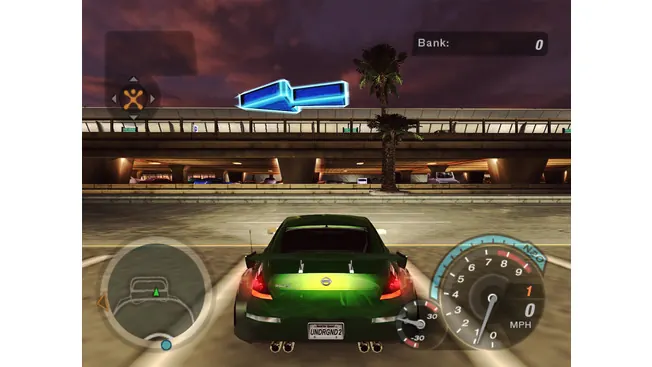
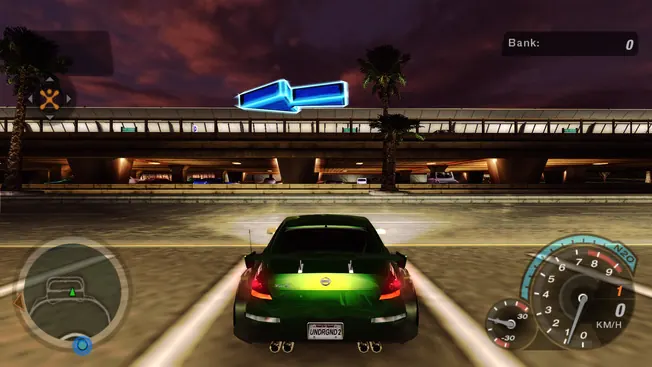
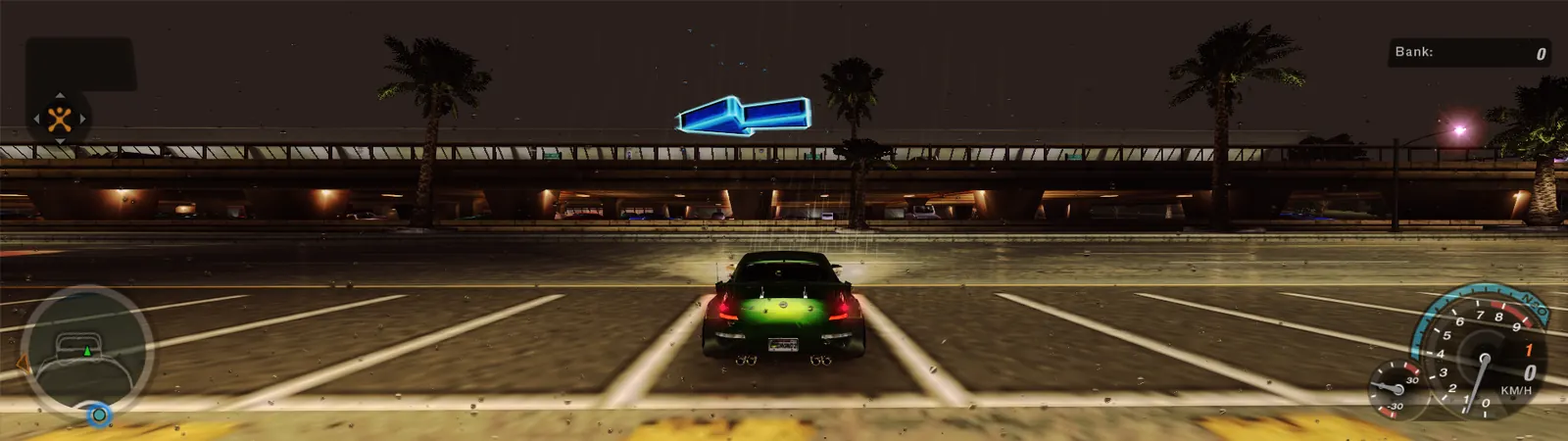
Questions
Does NoOpticalDriveFix supply or license the game?
No. It is an optical-drive workaround, not a game download, an asset license or a guarantee to bypass every form of disc protection.
HUD still looks wrong?
Check that the ASI plugin actually loads, keep the package's scripts layout, and use the settings format for your build. Do not move a legacy INI from scripts into the game root.
Keep going
Sources
Checked 2026-10-29. One source alone is labeled as such. Disagreements are left side by side.